Appearance
Questions and RFIs
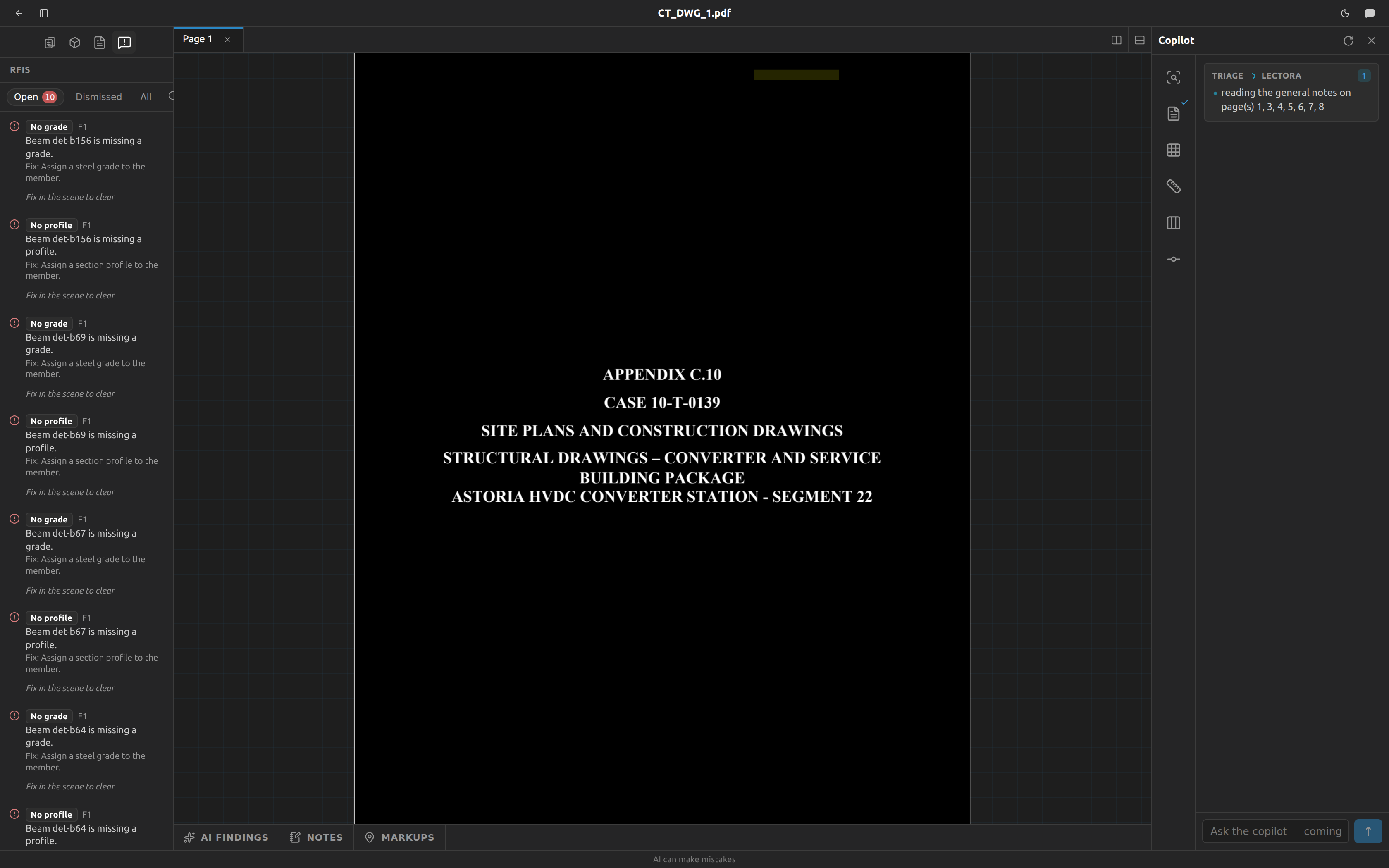
The panel has two tabs:
- Questions — everything validation and the other checks found that the drawings have not settled: a grid line with no dimension to the rest of the grid, a member with no profile, two sheets that disagree about one piece of steel. An open question against a scene blocks Push to Tekla for that scene.
- RFIs — the questions that went to the engineer of record. An RFI (Request for Information) is raised when the drawings leave out something they must show, or when you did not know the answer and agreed to ask the engineer.
Two kinds of RFI:
- Missing from the drawings. When the drawings leave out something they must show — a member size, a grade, a top of steel, a dimension that locates a member — the copilot searches every sheet, schedule and detail first. If nothing gives it, it raises the RFI straight away and tells you. It lists everywhere it looked.
- Everything else — two sheets that disagree, something unclear, a problem the copilot found. The copilot asks you in the chat first. If you answer, it applies your answer and the question closes with your words on it. If you do not know, it asks whether to send an RFI, and it raises one only when you say yes.
Open the panel
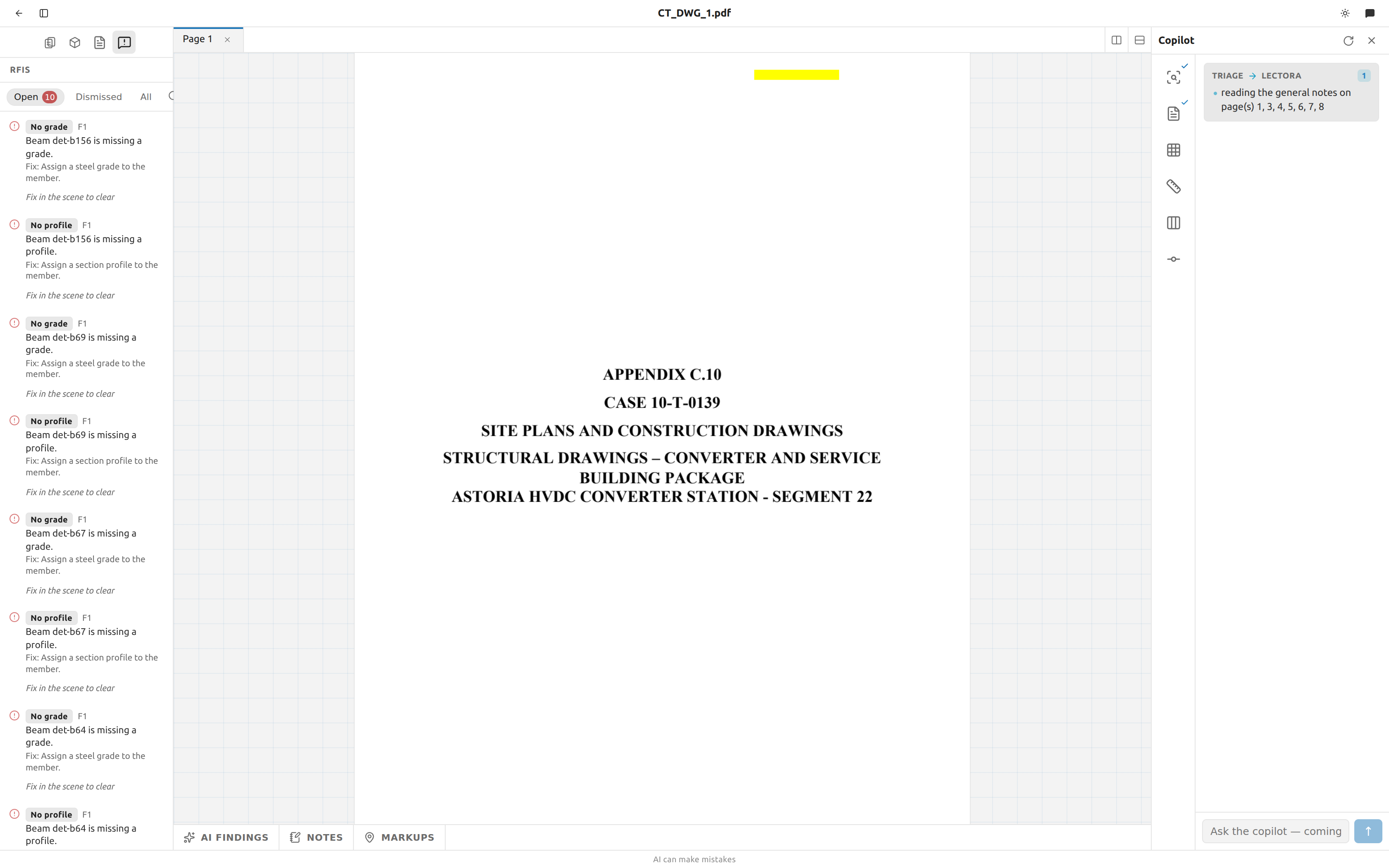
- In the workspace sidebar, click the warning-bubble icon — its tooltip reads
Questions and RFIs. - The panel opens on Questions, filtered to Open. The tab labels carry the count of open items.
The list is project-wide and live: validate a scene in any tab and the rows it raises or answers appear here immediately. There is nothing to refresh.
Filter the list
Under each tab, a second strip filters by status:
| Tab | Filters |
|---|---|
| Questions | Open (the default), Resolved, All |
| RFIs | Open (the default), Answered, All |
When a list has nothing in it:
- Questions, Open, empty:
No open questions — validate a scene to check it. - RFIs, Open, empty:
No open RFIs. The copilot raises one only when the drawings leave something out or you agree to ask the engineer. - Anything else empty:
Nothing here. - Still loading: a spinner, no text.
Read a question
Each question carries, in order:
- A status dot — an alert circle for open, a check for answered.
- The rule chip — a short label naming what fired, such as
Off gridorDimension conflict. - The scene it belongs to, by name. A finding that belongs to no single scene reads
project. - The message — the finding in plain language, with the real labels and numbers filled in, e.g.
The beam at 2 x B to 3 x B has no profile — nothing says what section to build. Fix:and a one-line hint, on open rows that have one.Answer:and what you or the engineer answered, on questions closed with an answer.Held: waiting on an RFIon an open question that went to the engineer.
A question about the set, not about a scene
Most rows come from validating one scene, and clicking them opens it. One does not: Cut direction unchecked is raised by the callout sweep that runs when you upload a set, and it belongs to the drawing set as a whole — so its row reads project and clicking it opens nothing.
It says that on some sheets the vision model could not be reached, so those callouts kept the cut direction that was read from the geometry and nothing has checked it. The callouts themselves are fine — geometry found them and geometry keeps them — but a direction a model confirmed and one nothing looked at deserve different amounts of trust, and on the drawing they look identical.
It clears itself. Re-run callout detection once the model is reachable; when nothing is left unchecked the row moves to Answered on its own, like every other finding.
Find the problem on the drawing
- Click the row. Its tooltip reads
Open <scene name>. - The scene opens, the tool switches back to Select, and the status bar flashes
Issue:followed by the message. - The geometry the finding names lights up on the drawing.
What lights up, and what does not:
| Case | What you see |
|---|---|
| The finding names grid lines | Every named line is outlined, end to end. |
| The finding names only members | A marker on each member end that sits on a grid intersection. |
| The finding names both lines and members | The grid lines win. A member is at two elevations because its lines are — the lines are the thing to fix. |
| The finding names a scene or a count, with no geometry | Nothing highlights. The message still flashes. |
| A cross-sheet finding naming several scenes | Only the parts that exist in the scene you opened. Open the other scene to see its half. |
The view flies to it. A sheet opens fitted, where a column is a few pixels across, so the drawing is zoomed to the geometry the finding names and the highlight stays until you click somewhere else in the scene. A row with no scene attached is inert; clicking it does nothing.
The Validate dropdown reveals too
The Validate dropdown inside a scene lists the same findings with the same chips and fix hints, and clicking one does the same thing: the message flashes, the view flies to the geometry, and it lights up. The difference is only which of them you are looking at — the dropdown is this scene's last pass, and this panel is every scene's.
A finding naming another sheet still highlights nothing here, because the geometry is not in the scene you have open. Open that scene to see its half.
Add a question yourself, from the model
Most questions arrive from a validate. Two other things add them, and both are started by you rather than by a check:
- Select the offending steel in Tekla and use Ask → Add to questions in the Structure panel. Two sheets giving one member different sections, a section the model does not hold, or stamped steel no drawing accounts for — see what Fablnx knows about your selection. A row raised this way carries a picture of your Tekla view; see below.
- Open a typical the engine will not design and raise it from the Connections tab — see what the engine will not design.
You never write the message
Fablnx writes the sentence itself, from the open model, every time — so the question says what the drawings and the steel actually say, not a note somebody typed. Adding the same thing twice reopens one row rather than making a second.
A row raised from Tekla carries the view
A question added from the Tekla selection shows Tekla's own picture of the view you were in under its message, on a white background so it survives being read on paper and in an email client.
Fablnx draws none of it — Tekla renders its own view, with your filters, your representation and your camera, and that is what is filed. Frame the steel you are asking about before you raise the question; the snapshot is of the view you last clicked in.
Raise three questions about one bay and all three carry the same picture, taken once.
Rows raised from a validate or from a connection refusal carry no picture, and neither does a row raised from a browser rather than from inside Tekla — there is no Tekla view to take one of.
These rows behave like every other one on the list: they answer themselves when the condition stops firing, and they cannot be dismissed.
RFIs to the engineer of record
An RFI is what your firm sends the engineer. The copilot raises one when the drawings leave out something they must show, or after it asked you in the chat, you did not know, and you agreed to ask the engineer. Each RFI says which: Raised because the drawings leave this out, or Raised with your yes with your words quoted.
Each RFI carries:
- Its number —
RFI 1,RFI 2… in the order they were raised on this project. - The question — one question per RFI.
Where:— the sheet, detail, grid and level.Sources:— what each drawing says, quoted.Proposed:— what will be done if the engineer agrees, so a "yes" is enough.Impact:— what it holds, and any cost or schedule effect.- The needed-by date, when you gave one.
Answer:and who or which document answered, once it is answered.
A question that went to the engineer is held: it no longer blocks Push to Tekla for its scene. The steel it touches is modelled and waits for the answer. When the answer comes, tell the copilot what the engineer said and who said it. It records the answer on the RFI, applies it to the drawings, and then closes the held questions.
Download the log. RFI log at the top of the panel downloads every RFI of the project as a CSV file, to send or to keep with the job.
Ask the copilot
The copilot works this panel too, and every change it makes waits for your approval unless auto-approve is on:
- Answer a question. It asks you in the chat when the drawings do not settle a question. Your answer closes the question, shown on the row under
Answer:. - Send an RFI. At once when the drawings leave out something they must show; otherwise only when you do not know and agree to ask the engineer.
- Record the engineer's answer on an RFI, then apply it.
- Withdraw an RFI that is no longer needed. Its questions block the push again.
- Reopen a question that was closed too early.
A question closed with an answer reopens on its own if the condition it describes comes back.
Nothing is dismissible
There is no severity model in Fablnx. No errors, no warnings, no informational notes — every finding is the same weight, and every finding a scene's own validate raises blocks that scene's commit. There is no Dismiss, no Snooze, no Waive, no Override, and no "commit anyway". A commit attempted with an open finding is refused and shows you the list.
A question leaves the Open list in exactly four ways:
- The finding stops firing. Fix the drawing, validate again, and the row moves to Resolved on its own.
- Everything it pointed at is deleted. With nothing left to point at, the next validate answers it.
- You answer it in the chat, and the copilot records your answer, with your approval. A finding a validate raised comes back on the next validate if the drawing still produces it.
- The engineer answers its RFI, and the copilot applies and records the answer.
While a question waits on an open RFI, it does not block the push.
Why there is no "commit anyway"
A committed scene is part of the building every other sheet is checked against. A waived question would be a wrong answer that the next sheet inherits and the sheet after that builds on. The way past a finding is to answer it on the drawing — so the model is coordinated by construction rather than by agreement to ignore it.
Re-validating does not pile up duplicates
A finding is identified by its rule and what it is about, deliberately not by the measurements in its message. Changing a wrong dimension from 25 ft to 26 ft rewrites the existing row's message rather than adding a second question, and an answered row reopens itself if the problem comes back.
Which rows a validate can clear
Validating one scene sweeps only the questions that name that scene, and only the rules of the pass that actually ran. The cross-sheet pass runs only when the scene pass is silent — so a scene with its own problems will not clear its cross-sheet rows until its own list is empty.
Findings that show a raw rule name
Nine rules have no plain-language label and no Fix: line
When one of these fires, the chip shows the raw internal name in snake_case and no fix hint is offered. The message text is still correct and complete — read it, and use the translation below.
| Chip you see | What it means |
|---|---|
member_duplicate_station | Two or more columns are drawn at the same grid intersection. A station holds one. Delete all but the right one. |
elevation_no_grid | This elevation names no grid line, so nothing drawn on it has a place in the building. Name the grid line the elevation runs along. |
elevation_unpinned_level | A member end on this elevation sits at no elevation. Pin the level it stands on, or give the end the height the sheet states. |
world_column_section_conflict | A column is sighted on a plan and spanned by an elevation, and the two give it different profiles or grades. Correct whichever sheet is wrong. |
elevation_grid_unplaceable | This elevation runs along a grid line that no committed plan can place — nothing dimensions where that line is. Dimension and commit a plan that fixes it. |
elevation_runs_along_its_own_family | This elevation says it runs along a line parallel to the lines it draws. A frame crosses those lines, so it cannot also lie along one. Name a grid from the other direction. |
reconcile_sheets_disagree | Two sheets give one member different sections. Ask the EOR which governs; until then the model holds whichever drawing was read first. |
reconcile_profile_disagrees | The drawings state one section and the model holds another. Push the sheet again, or correct the reading if the steel is right. |
reconcile_unaccounted | Steel in the model carrying a Fablnx stamp that no sheet accounts for. Push the sheet that drew it, or ask whether it is still required. |
The full catalogue of what is checked — all 22 rules, their messages and their fix hints — is on Validation and commit.
Where to go next
- Validation and commit — what is checked, and what commit does.
- The scene editor — where every question is actually fixed.
- Troubleshooting — why a button is disabled.